Waypoint (Widget)
The Waypoint widget (WBP_LN_Waypoint) is a UserWidget that displays landmarks on the screen’s 2D space. It is recommended to have the waypoint widget cover the entire screen.
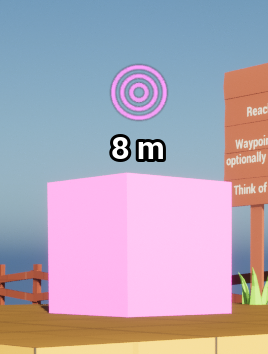
Usage:
- Add a WBP_LN_Waypoint to your widget.
- Tweak its settings to customise the waypoint’s behaviour.
See LandmarkNavigationSubsystem for all related functions.
See Content/Demo/Widget/WBP_LN_Demo_Hud, for an use example.
Properties
| Property Name | Description |
|---|---|
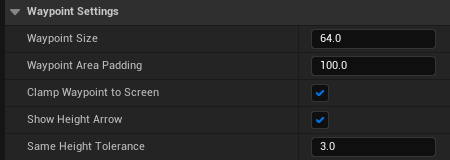
| Waypoint Size | The size in pixel of the waypoint landmark displayed on screen. |
| Waypoint Area Padding | The padding size of the area in which the waypoint landmark can move (ie: how many pixels from the edge of the widget). |
| Clamp Waypoint To Screen | If true, the waypoint will be clamped to the edge of the widget. If false, the waypoint will be allowed to disappear offscreen, only appearing when it is in front of the player. |
| Show Height Arrow | If true an arrow will be displayed showing whether the waypoint is above or below the player. |
| Same Height Tolerance | Height tolerance in meters within wich the height arrow is not shown because player and landmark are considered on the same height. |