Overview
Asset Bookmarks is an Unreal Engine plugin that allows you to quickly add and manage bookmarked assets.
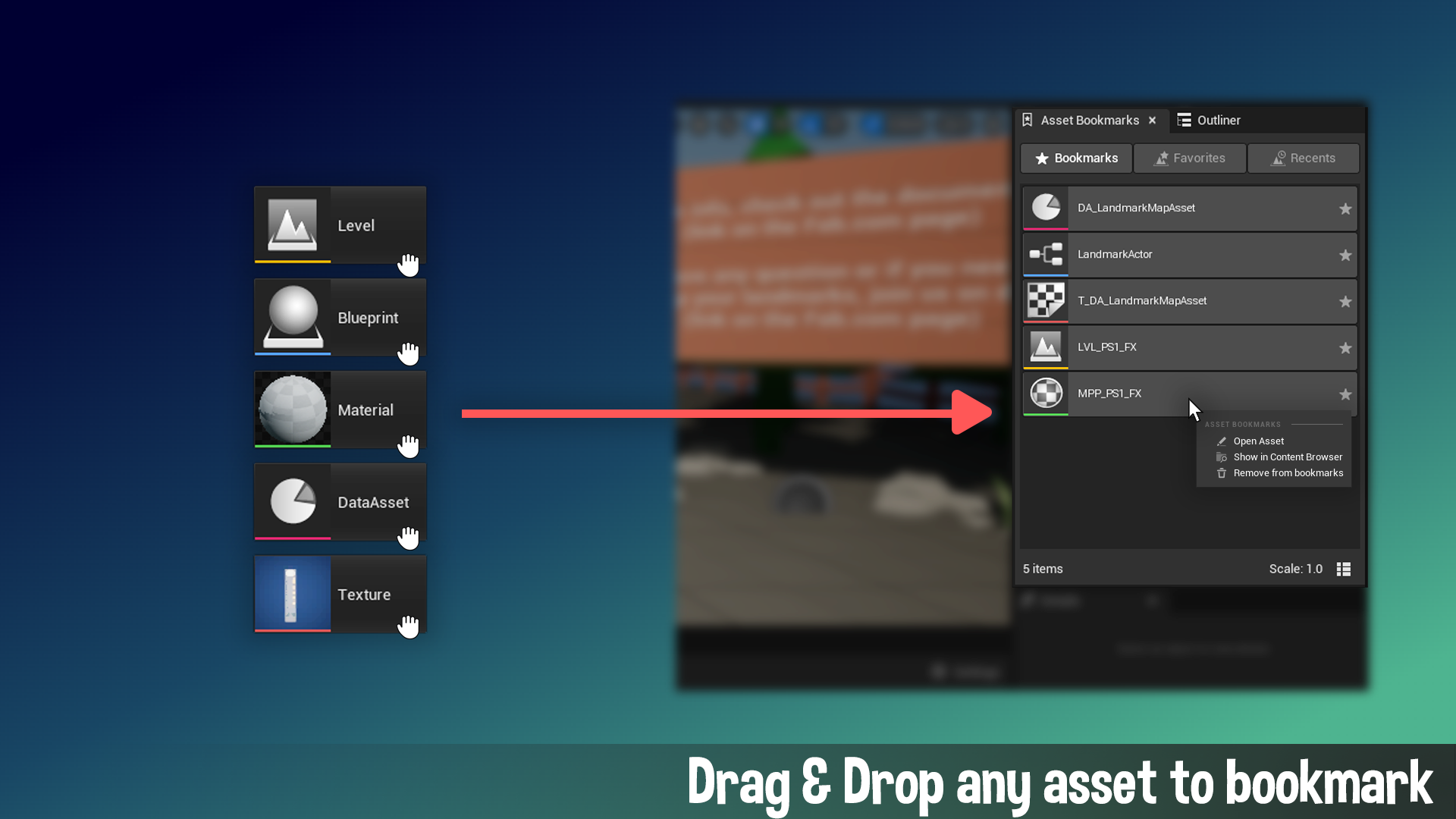
As projects grow, navigating the Content Browser becomes increasingly cumbersome. With Asset Bookmarks, you can simply drag and drop assets into the interface to keep them a click away. From there, you can open the assets, find them in the content browser or remove the bookmarks.
The plugin also integrates with Unreal Engine’s built-in systems to display your Recently Opened and Favorited levels alongside your custom bookmarks.
Features
- Drag & Drop: Simply pull any asset from the Content Browser into the window to bookmark it.
- Recent and Favorite Levels: Uses Unreal Engine’s built-in systems to show recently opened and favourited levels alongside your bookmarks.
- List and Grid Views: Choose the layout that best fits your workspace.
- Context menu: Right-clicking a bookmark provides quick actions:
- Open Asset: Opens the editor for this asset
- Show in Content Browser: Brings the content browser forward and navigate to the asset
- Remove from Bookmarks: Simply removes this asset from the bookmarks
How to open
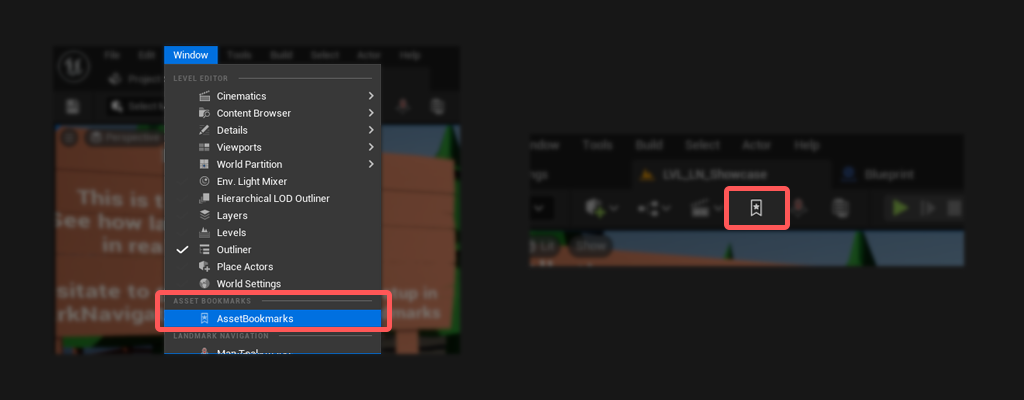
There are two ways to open the Asset Bookmark interface:
- Open Asset Bookmarks via the toolbar icon (can be disabled in settings).
- Navigate to Window -> Asset Bookmarks in the editor (can be disabled in settings).